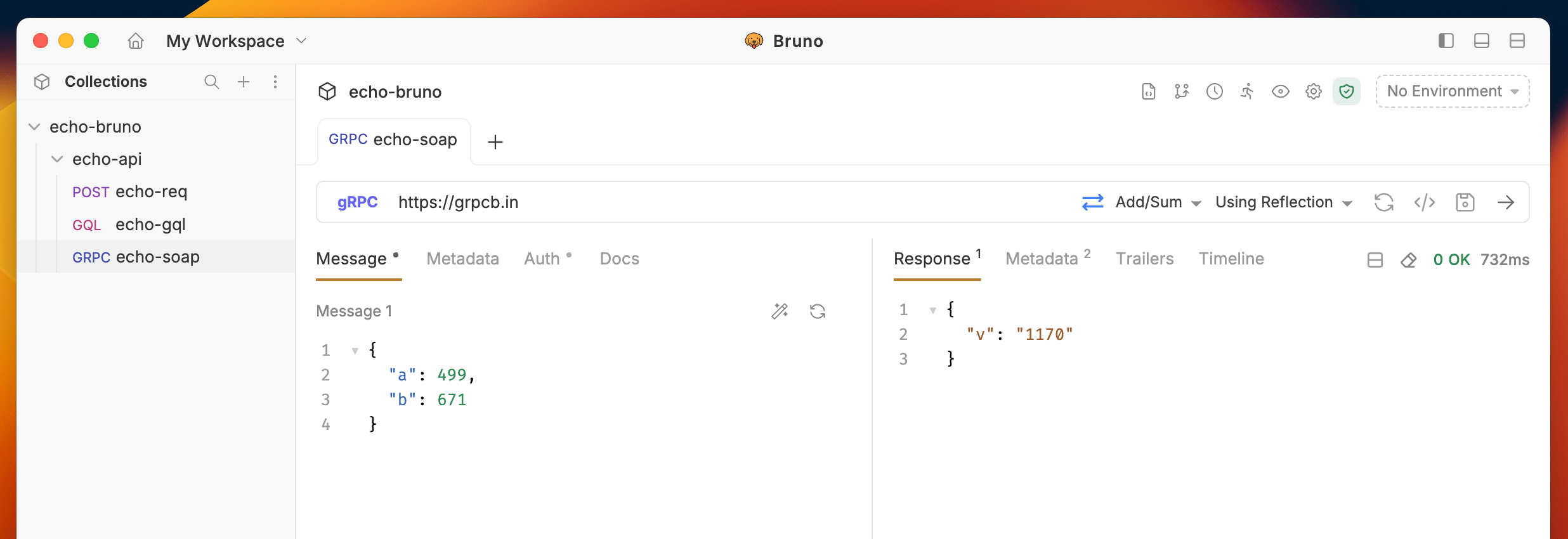
Bruno provides comprehensive support for gRPC requests, enabling you to test and interact with gRPC services directly from the interface. With Bruno’s gRPC support, you can:
Add Proto files for enhanced IntelliSense and method discovery
Use Server Reflection as an alternative to Proto files for automatic method suggestions
Call server methods with full parameter support and type validation
Test real-time streaming APIs including unary, server streaming, client streaming, and bidirectional streaming
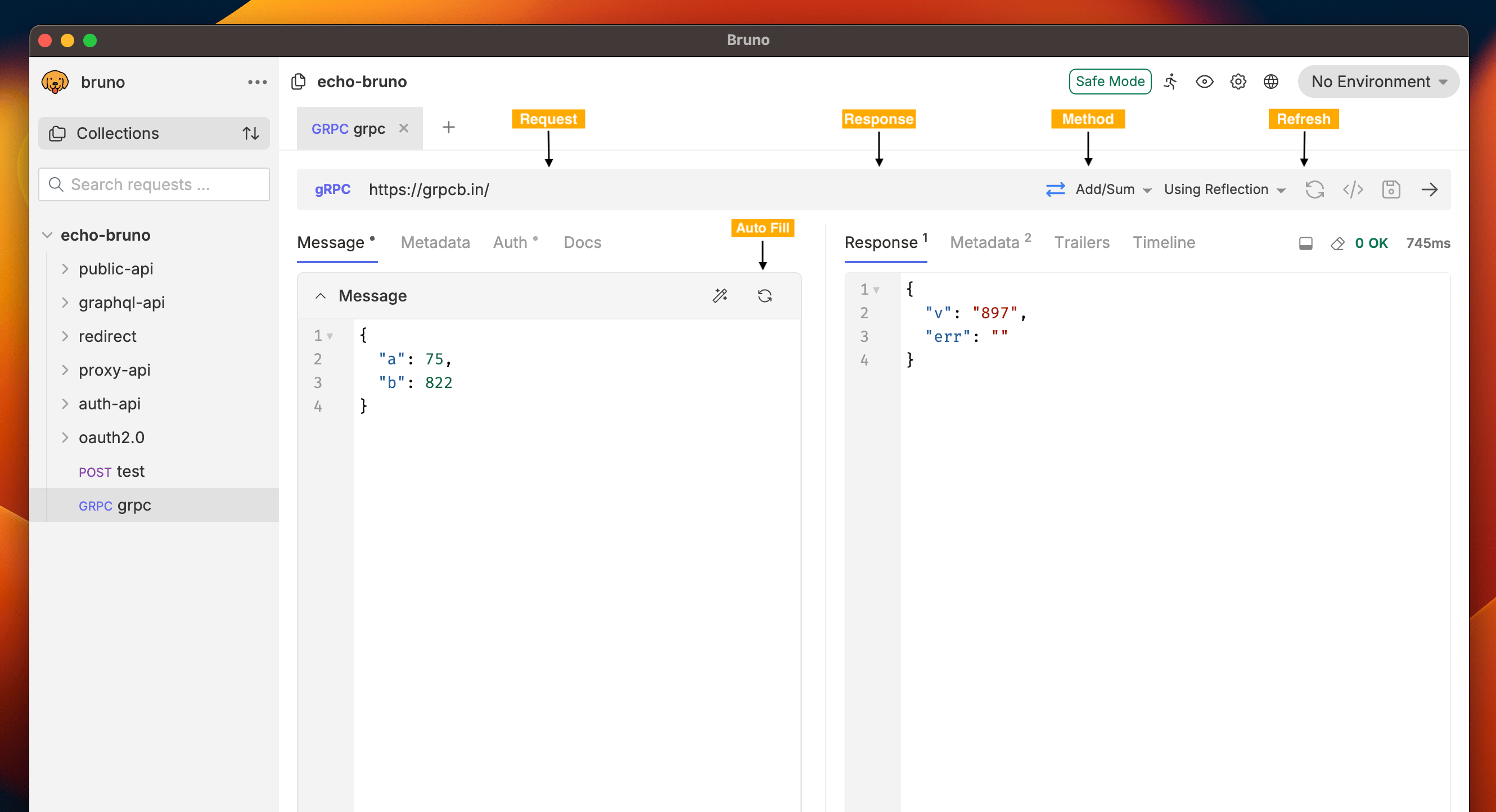
Bruno gRPC interface provides an intuitive way to interact with gRPC services. The interface automatically adapts based on whether you’re using Proto files or Server Reflection.
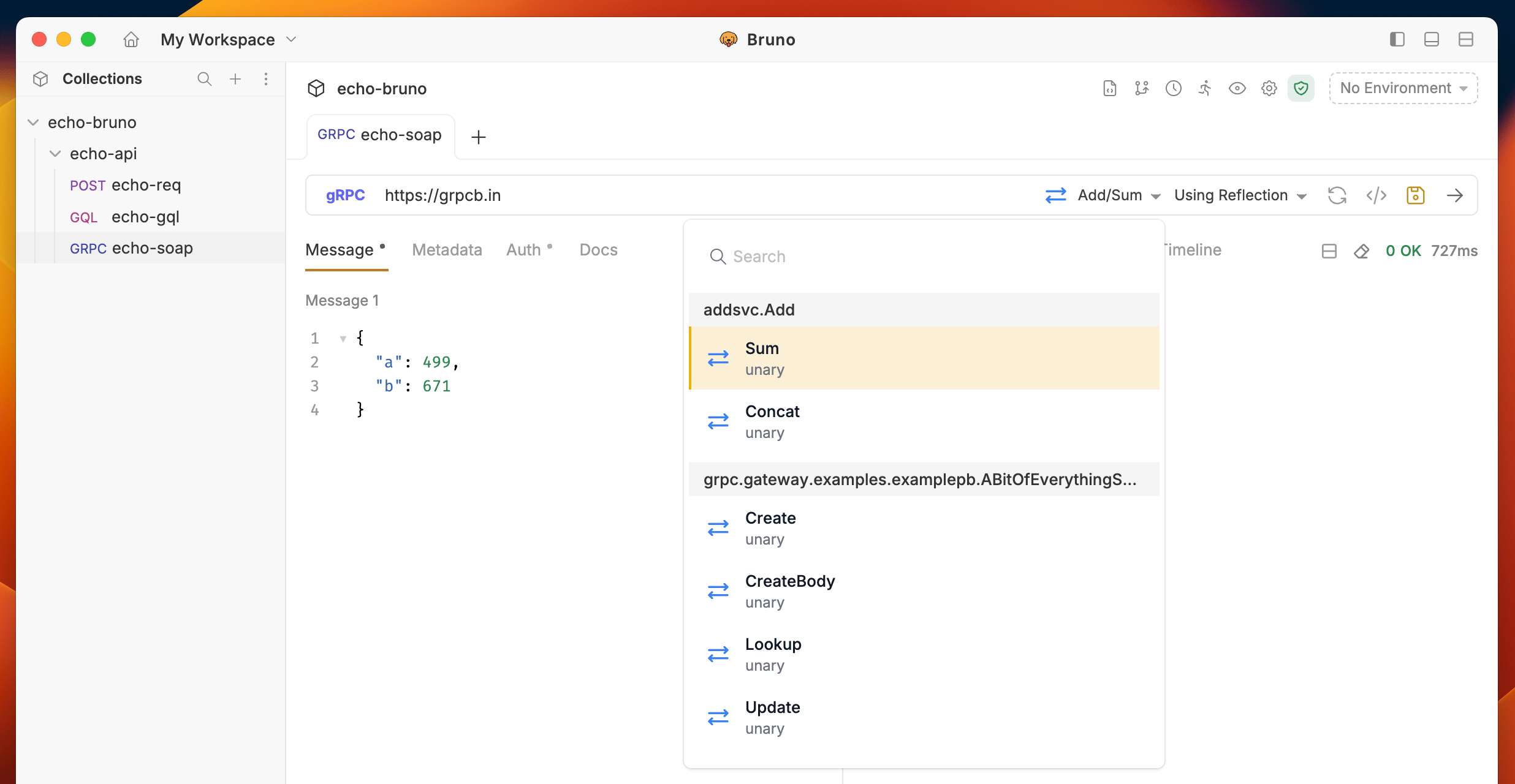
Click on Reflection and choose the method you want to call from the dropdown
Refresh: The gRPC refresh feature caches server information in memory for better performance. If you’re running a local gRPC server and make changes to your service definitions, click the Refresh button next to the Using Reflection toggle to reload the latest changes from your server.
Use the search functionality in the dropdown to quickly find your desired method by typing the method name
gRPC uses metadata instead of HTTP headers. Use metadata to send key-value pairs such as access tokens or tenant identifiers with a request.
Open your gRPC request and select the Metadata tab in the request pane.
Click Add Metadata and enter the key and value.
Use the checkbox next to an entry to enable or disable it.
Metadata values support variable interpolation, so you can reference environment or collection variables like {{token}}.For authentication methods such as Basic, Bearer, or API key, use the Auth tab instead of adding metadata manually.To learn about proto files, navigate to the Adding Proto file section.